Palette
Note
Please install or upgrade sima-cli before continuing. This guide is intended for use with the latest sima-cli version.
Install SDK
Run the following command on the host machine. Windows 10/11 and Ubuntu 22.04 are both supported. For more information refer to this article.
sima-user@sima-user-machine:~$ sima-cli install sdk
Important
To use Palette with a SiMa device, the device firmware must be strictly on the same version as the installed SDK. Mismatched firmware and SDK versions are not supported. See Firmware Update to update your device firmware to match the SDK version.
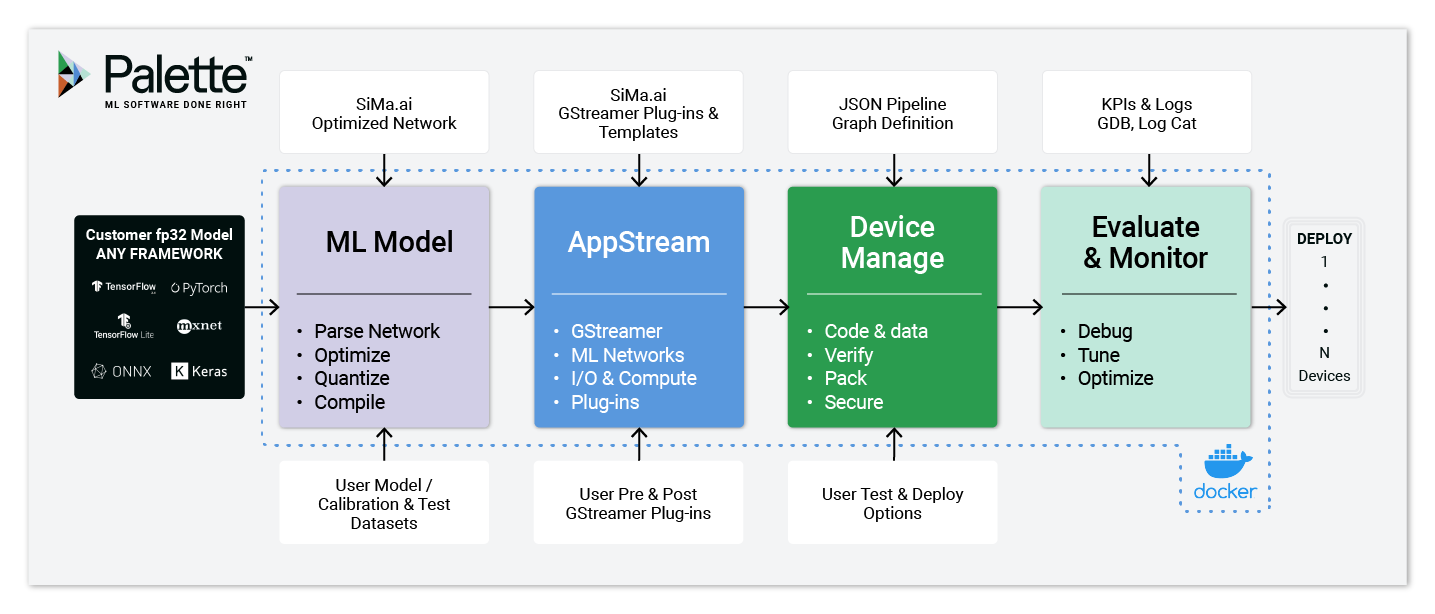
Brief description of the Palette software and how to use it.
Step-by-step installation guide of the Palette software.
How to get frames-per-second throughput numbers for your models.
How to use the MPK tool using commands available in the Palette software.
Requirements for a successful installation and use of the software.
How to calibrate, quantize, and compile your model.
How to get metrics for your model using your board as an accelerator.