Palette
Note
Please install or upgrade sima-cli before continuing. This guide is intended for use with the latest sima-cli version.
Install SDK
Run the following command on the host machine. Windows 10/11 and Ubuntu 22.04 are both supported. For more information refer to this article.
sima-user@sima-user-machine:~$ sima-cli install sdk
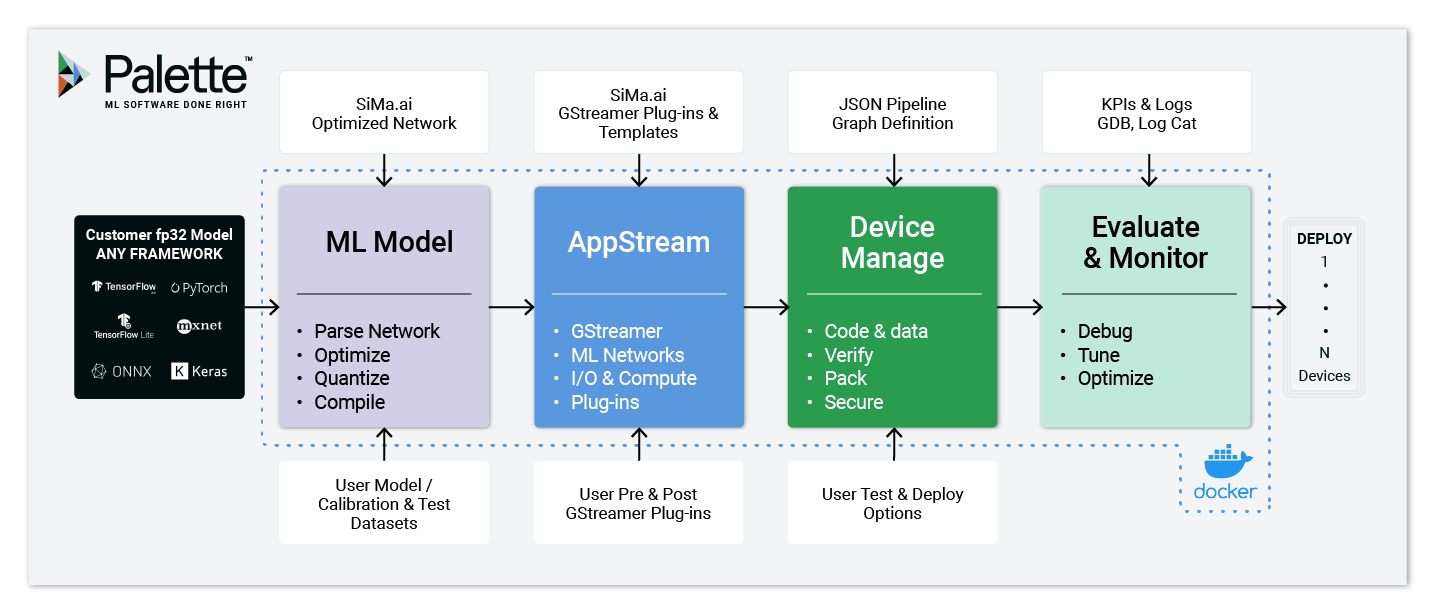
Brief description of the Palette software and how to use it.
Step-by-step installation guide of the Palette software.
How to get frames-per-second throughput numbers for your models.
How to use the MPK tool using commands available in the Palette software.
Requirements for a successful installation and use of the software.
How to calibrate, quantize, and compile your model.
How to get metrics for your model using your board as an accelerator.