simaaiprocessmla
GStreamer plugin reference: simaaiprocessmla
Note
The simaaiprocessmla plugin can not be found under like many
other plugins. Instead, this plugin will be dynamically created when importing a ModelSDK pre-compiled model into
Edgematic. It will be preceded and followed by simaaiprocesscvu plugins that will preprocess and postprocess the
data.
This GStreamer plugin, simaaiprocessmla, executes Machine Learning Accelerator (MLA) inference
within a GStreamer pipeline. It takes input buffers, performs inference using a specified MLA model,
and outputs the results in new buffers. The plugin handles memory allocation and management,
ensuring efficient integration with the SiMa.ai hardware. SiMa.ai’s MLA is a dedicated ML
accelerator with runtime libraries for executing ML models, providing significant performance
improvements for AI applications.
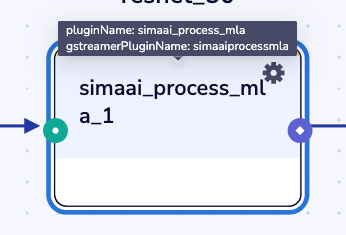
Plugin Configurations
All plugins in Edgematic have options and configurations that can be accessed via:
The configuration icon on the top right of each plugin (
 ).
).The source code found in .
Plugin configuration options
The plugin configurator provides 3 tabs:
GENERAL:
Host ProcessorThe processor this plugin executes in. In this case, on the Arm cores or
MLA.
CONFIGURATION:
This is where the input and output nodes are specified.
ADVANCED:
Plugin configuration template (Optional)The location to the JSON configuration file for this model.
Number of buffers (Optional)Number of
GstBuffersto use in the source pad buffer queue. (Default: 5)
versionVersion of the JSON configuration file for the
simaaiprocessmlaplugin.
Next plugin CPUWhere the next plugin will be processing data. This determines which memory segment to allocate output buffers to.
0-> Allocating into A65 CPU memory1-> Allocating into CVU memory2-> Allocating into MLA memory
No:of input imagesNumber of inputs for the model.
Batch_sz_modelThe batch size this model was compiled with.
in_tensor_szInput tensor size calculated as
N * H * W * C. Reflects the input tensor that the particular model accepts. This value will be used only whenbatch_size > batch_sz_model
out_tensor_szOutput tensor size calculated as
N * H * W * C. Reflects the output tensor that the particular model returns. This value will be used only whenbatch_size > batch_sz_model
model_pathThe location of the model
.lmor.elffile
Slice width (Optional)The width (in pixels) of each slice or tile that the input tensor/image is divided into for processing by the MLA. Traditionally this is set byt he ModelSDK inside of the tar.gz model mpk config JSON.
Example: If the input image is 640 pixels wide and the slice width is set to 128, the image will be split into 5 slices along the width.
Slice height (Optional)The height (in pixels) of each slice or tile that the input tensor/image is divided into for processing by the MLA.Traditionally this is set byt he ModelSDK inside of the tar.gz model mpk config JSON.
Example: If the input image is 480 pixels high and the slice height is set to 24, the image will be split into 20 slices along the height.
Slice depth (Optional)The depth (number of channels, e.g., RGB=3) of each slice or tile. This is typically the number of channels in the input tensor/image.
Example: For an RGB image, the slice depth is 3.
Data type (Optional)Data type being for the model being processed.
Plugin source configurations (advanced)
If you wish to directly alter the code or configurations for the plugin, simply click on the plugin on the canvas and the source will be highlighted in orange on the left panel.
Note
The file structure, source code and other information would be found in the simaaiprocessmla documentation for the GStreamer plugin.